
Chapter 8 · Enlarging easel & view-camera shift
The Crop: Straightening and Converging Verticals
Two tools governed geometry in the darkroom. The first was the enlarging easel on the baseboard: its adjustable rails set the frame, and tilting the easel slightly straightened a leaning horizon at the same time. The second stood back at the shooting location: the view camera, with its adjustable standards. Photograph a building without tilting the camera — shifting the lens upward instead — and you got vertical edges instead of converging verticals. Adams mastered both; his architectural photographs from the pueblos stand as if plumb-lined.
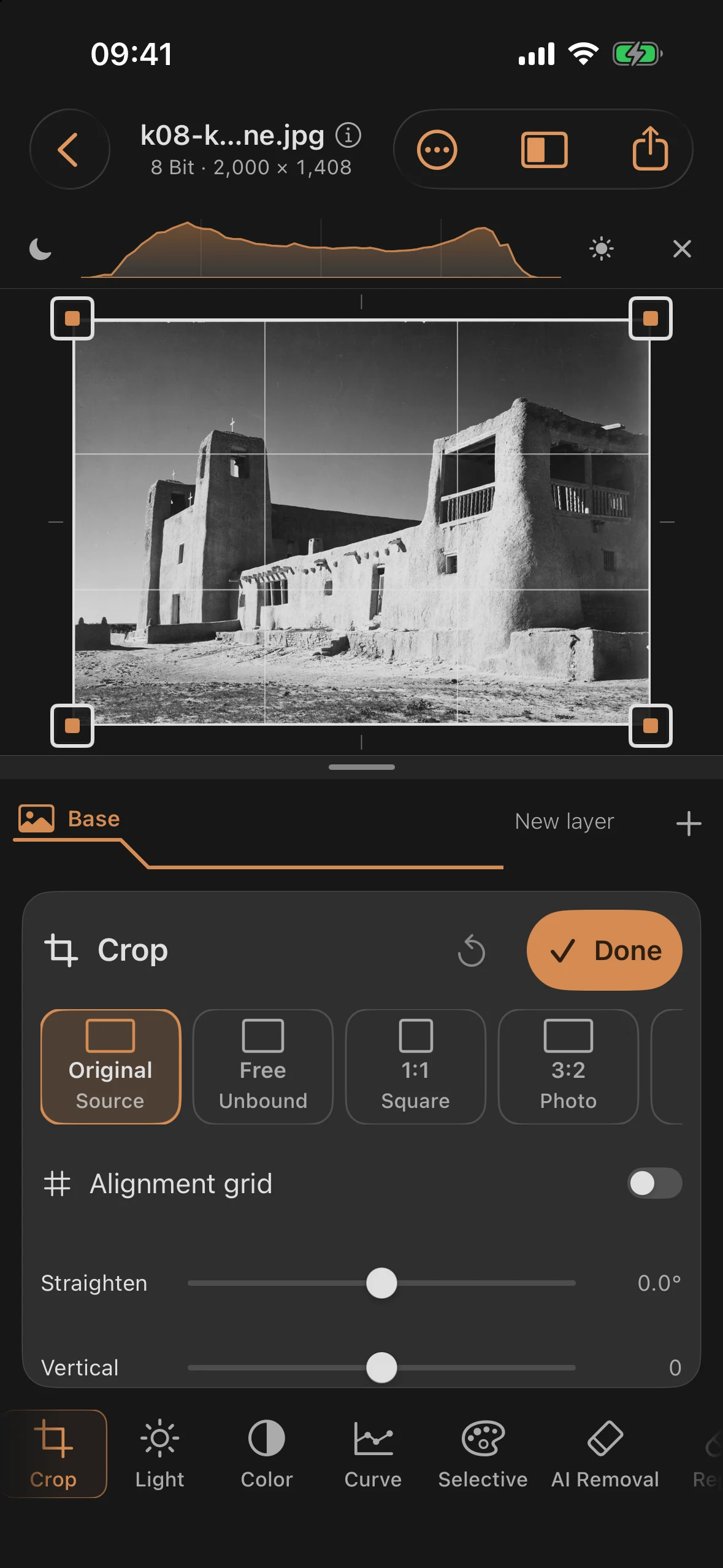
Where the view camera wasn’t available, a later trick at the enlarger helped: tilt the paper, counter-tilt the easel. That exact reconstruction lives in the Crop tool. The practice image is the mission church at Acoma Pueblo — shot from a slightly off-axis position, with noticeably leaning verticals.
Step 1: The Crooked Starting Point
Open the Crop tool and line a guide up against the tower edges: both towers lean inward, and the horizon hangs slightly. That’s the classic combination of a camera tilted upward (converging verticals) and freehand framing. Together, they make architecture feel restless before you can even name why.
Step 2: Straightening and Correcting
Two controls do the work of the standards:
| Control | Value | Effect |
|---|---|---|
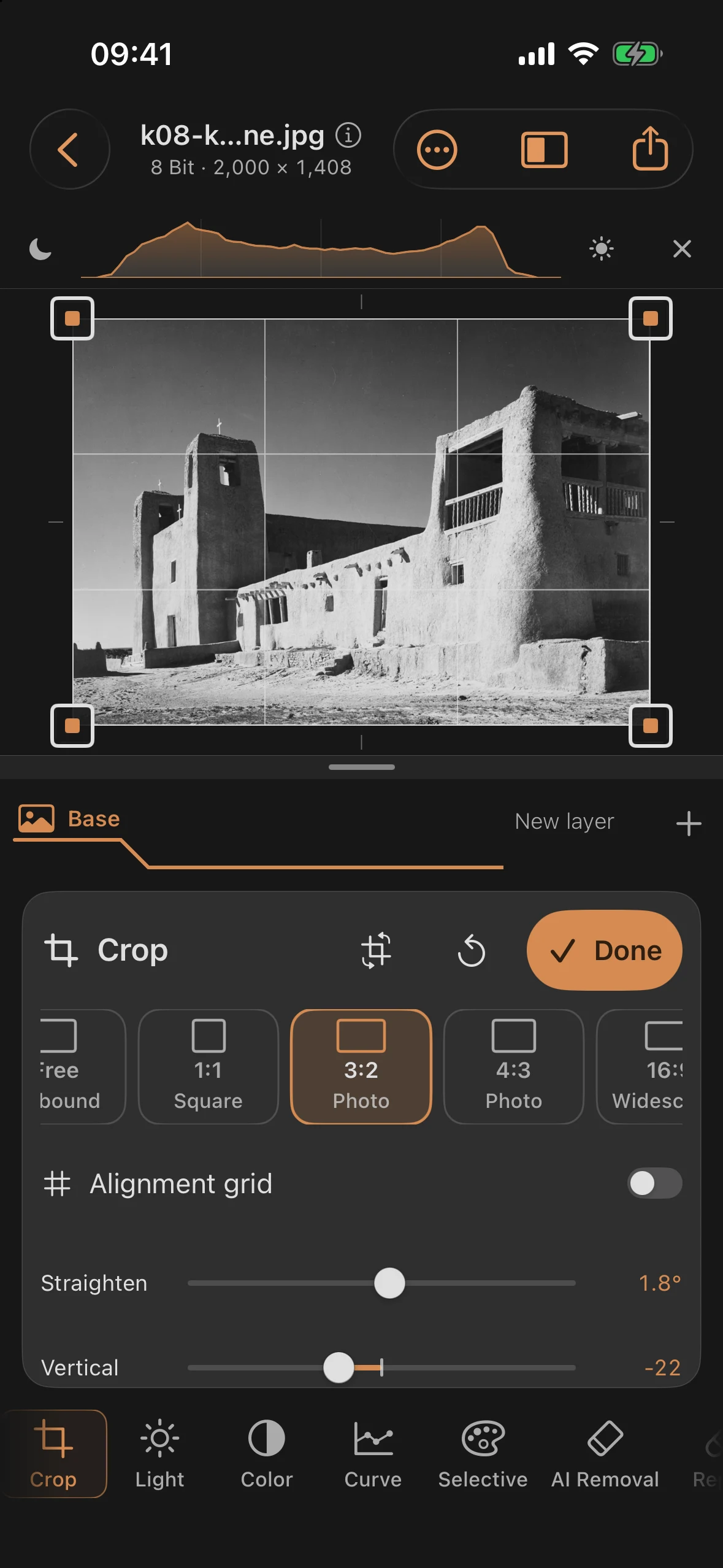
| Straighten | +1.8° | levels the horizon |
| Vertical | −22 | corrects the converging tower edges |
| Aspect | 3:2 | reframes the corrected crop |
The app handles the order itself: first the keystone correction, then the rotation, then the automatic zoom that avoids empty edges — you always see the finished result. A principle the enlarging easel knew too: masks, repairs, the focus point, and graduated filters stay anchored to their position in the image — geometry first, position-bound edits after.
Before and after
Before
After
The everyday rule of thumb: Vertical for buildings shot from below, Horizontal for off-axis viewpoints, Straighten for the horizon — and always geometry first, then the final crop. The crop itself stays changeable at any time; nothing here is locked in.