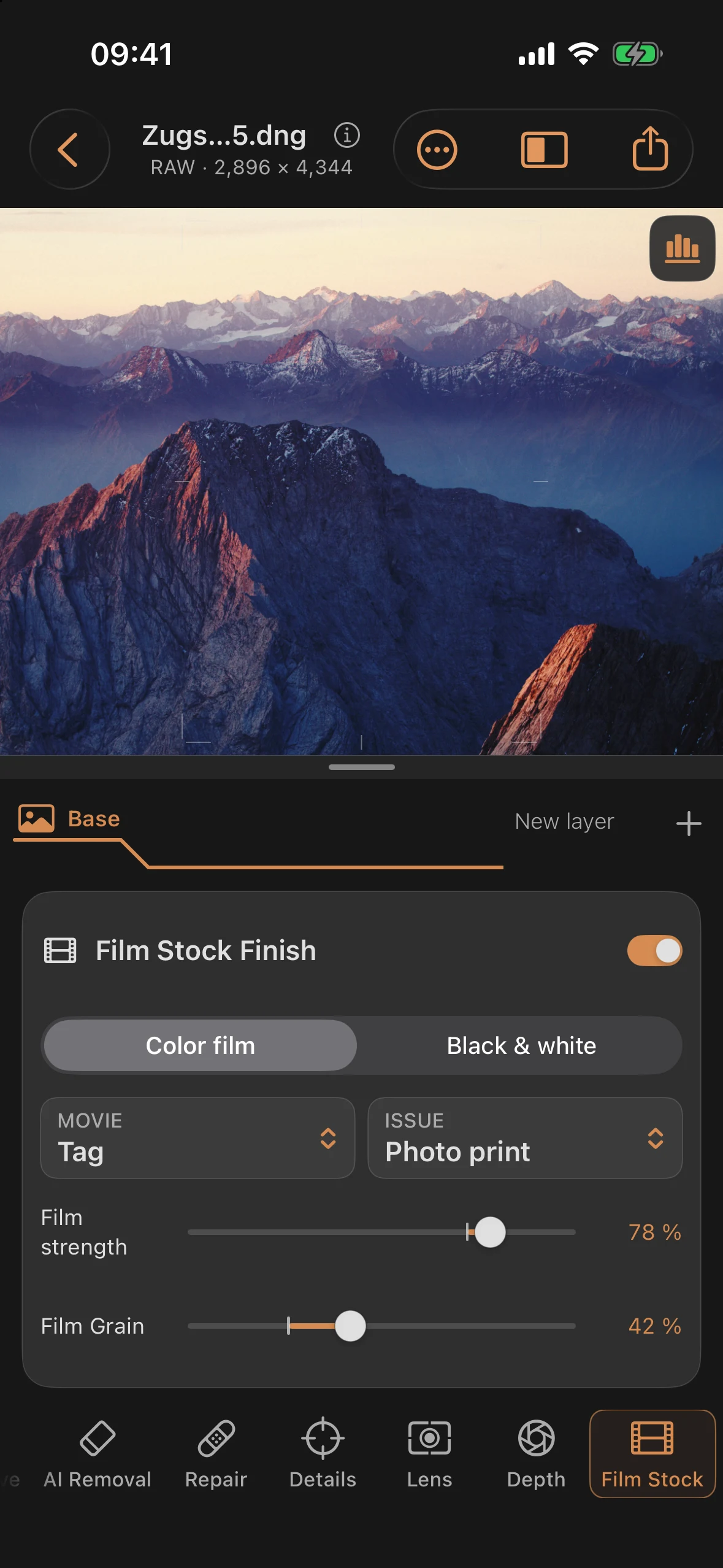
Film Stock: Color, Black & White and Printing
Film Stock applies the final non-destructive film finish. These are original, descriptive approximations, not measured manufacturer profiles.
Choose a film
Color film / Black & white separates the selection. The color menu groups negative, slide and cinema films. Switching categories restores the last film selected in that category during the session.
| Group | Film characters |
|---|---|
| Color negative | Clean 100, Portrait 160, Daylight 400, Portrait 800, Tungsten 800 |
| Slide | Vivid Slide 50, Natural Slide 100 |
| Cinema | Cinema Day 250, Cinema Tungsten 500 |
| Black & white | Fine Mono 100, Mono 400, Night Mono 3200, Ortho 80, Chromogenic 400 |
Ortho 80 renders red subjects darker. Portrait 800 adds a fast daylight color character. Chromogenic 400 pairs a softer tone curve with grain that becomes more restrained as film exposure increases.
Black-and-white lens filters
Choose No filter, Yellow filter, Orange filter, Red filter or Green filter below the film selection. Filters act before grayscale conversion. Yellow, orange and red progressively darken blue subjects; red becomes lighter with a red filter on panchromatic characters. Green emphasizes green subjects. Ortho 80 uses its own color sensitivity.
Filter exposure is automatically compensated, keeping a neutral gray target at the same brightness. This is an RGB approximation. An already monochrome image has no remaining color differences for these filters to separate.
Output
Film default uses a photo print for negative and black-and-white films and a direct scan for slide and cinema films. Direct / Scan skips the paper look. Photo print provides neutral, warm and high-contrast papers under Development & Print. Cinema films also offer Cinema print.
Black-and-white photo prints have a Paper grade control from 0 to 5, with 2 as the default. Warm paper adds deliberate toning separately from contrast.
Controls
| Control | Range | Effect |
|---|---|---|
| Film strength | 0–100% | Amount of film character, including grain, halation and print |
| Film grain | 0–100% | Grain amount |
| Grain size | 0–100% | Grain structure size |
| Film EV | −2 to +2 | Exposure within the film simulation |
| Push/Pull | −1 to +2 | Approximation of development contrast and grain changes |
| Paper grade | 0–5 | Black-and-white paper contrast |
| Color grain | 0–65% | Grain color component; color film only |
| Halation | 0–60% | Film-dependent halo around bright edges |
Film EV, Push/Pull and paper controls are under Development & Print; color grain and halation are under Emulsion & Light. Push/Pull is a creative approximation and cannot recover missing image information.
New black-and-white edits retain the filter/grayscale conversion even at 0% film strength. Turn the film finish off to bypass the entire effect. Color film at 0% leaves the image unchanged. Selecting another film restores its default strength: 100% for black and white, 72% for color.
Existing edits
Older recipes retain their original rendering. Previous film look identifies this state, and the strength control is called Mix. Below 100%, these older monochrome recipes can mix the original subject colors back into the result.
Update enables the new rendering, filters, development and output controls. Selecting a different film also uses the new rendering. Both actions support Undo.
Adjusting sliders
The visible thumb remains compact, with an invisible 56 × 44 point touch target. The rest of the track remains available for vertical inspector scrolling. Double-tap the thumb or value to reset. VoiceOver also supports adjustment and reset without dragging.