
Press · Version 1.5.1
Mobile Darkroom for the press
Mobile Darkroom is a photo lab for iPhone and iPad that develops RAW files and ordinary photos entirely on the device, with no subscription, no account and no cloud.
Facts
| Developer | Bjoern Kindler, Kindler Dev, Unterhaching near Munich, Germany (solo developer) |
|---|---|
| Platform | iPhone and iPad, iOS/iPadOS 17 or later |
| Released | 19 August 2026, current version 1.5.1 from 12 October 2026 |
| Price | Free download. Every editing tool is free to use. Exporting starts a free 3-day trial; after that, exporting needs the one-time full version for $4.99 (€5.99 in Germany). No subscription, no auto-renewal |
| Languages | 18, including English, German, French, Spanish, Japanese, Korean and Chinese |
| Privacy | Processing stays on the device: no account, no cloud, no tracking |
| Category | Photo & Video |
| App Store | https://apps.apple.com/app/id6802331680 |
| Website | https://mobile-darkroom.com/ |
What it does
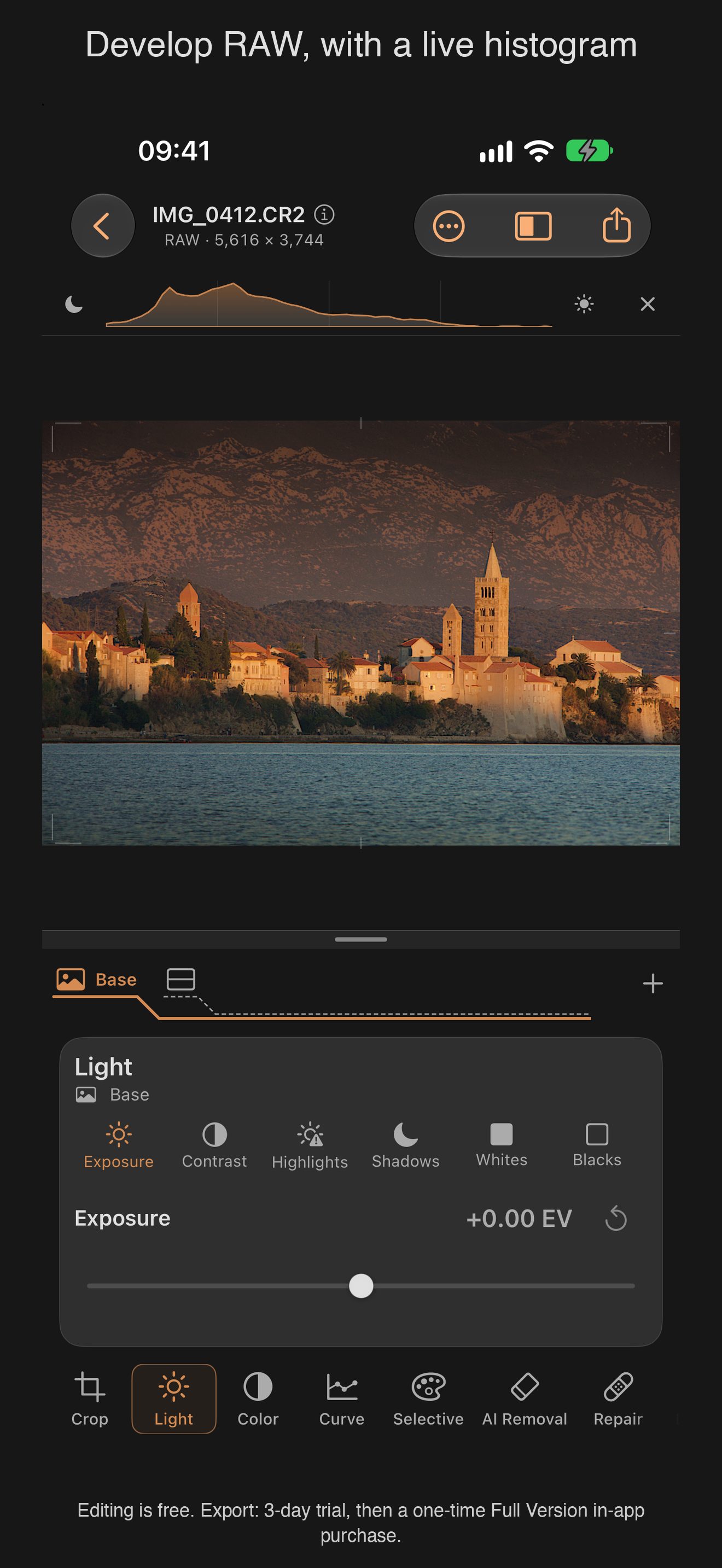
- Develops RAW and Apple ProRAW, plus JPEG and HEIF. The original stays untouched; exports are new copies.
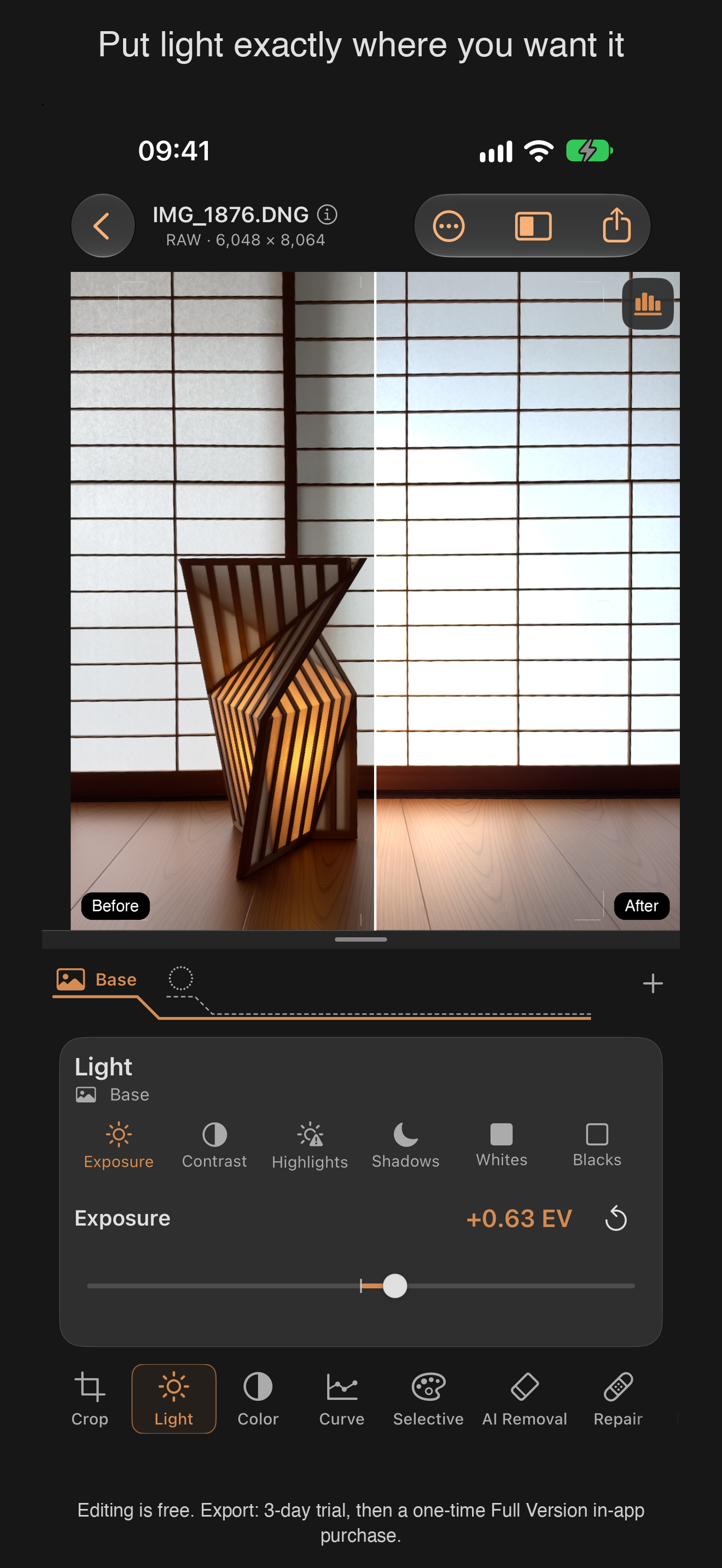
- Global corrections: exposure, highlights, shadows, whites, blacks, contrast, saturation, vibrance, temperature, tint, and a tone curve with freely placed points.
- Local masks (brush, radial and linear gradient) with the same controls as the whole image.
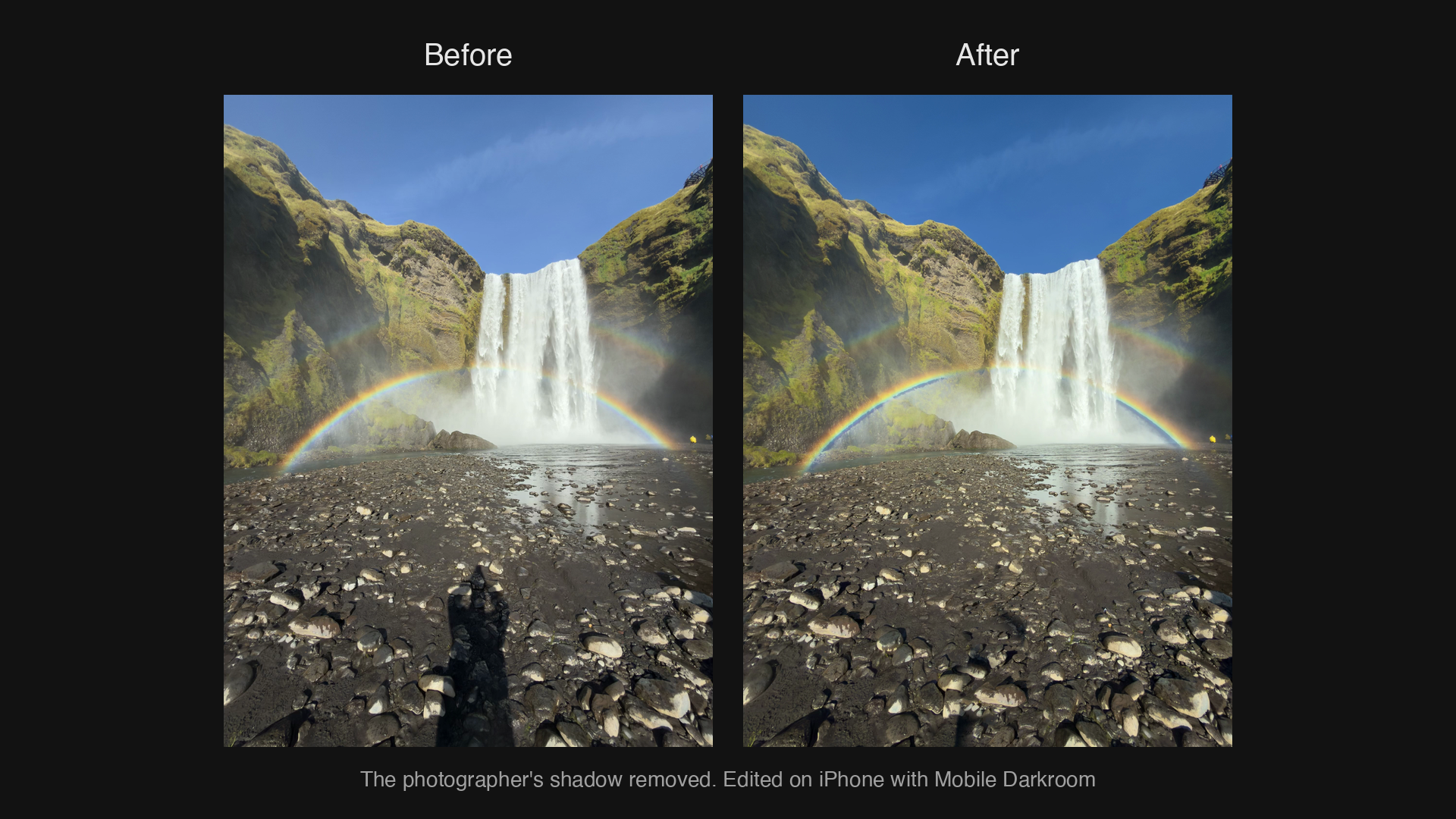
- Repair with a touch-up brush for distractions, for example a shadow or a stray object.
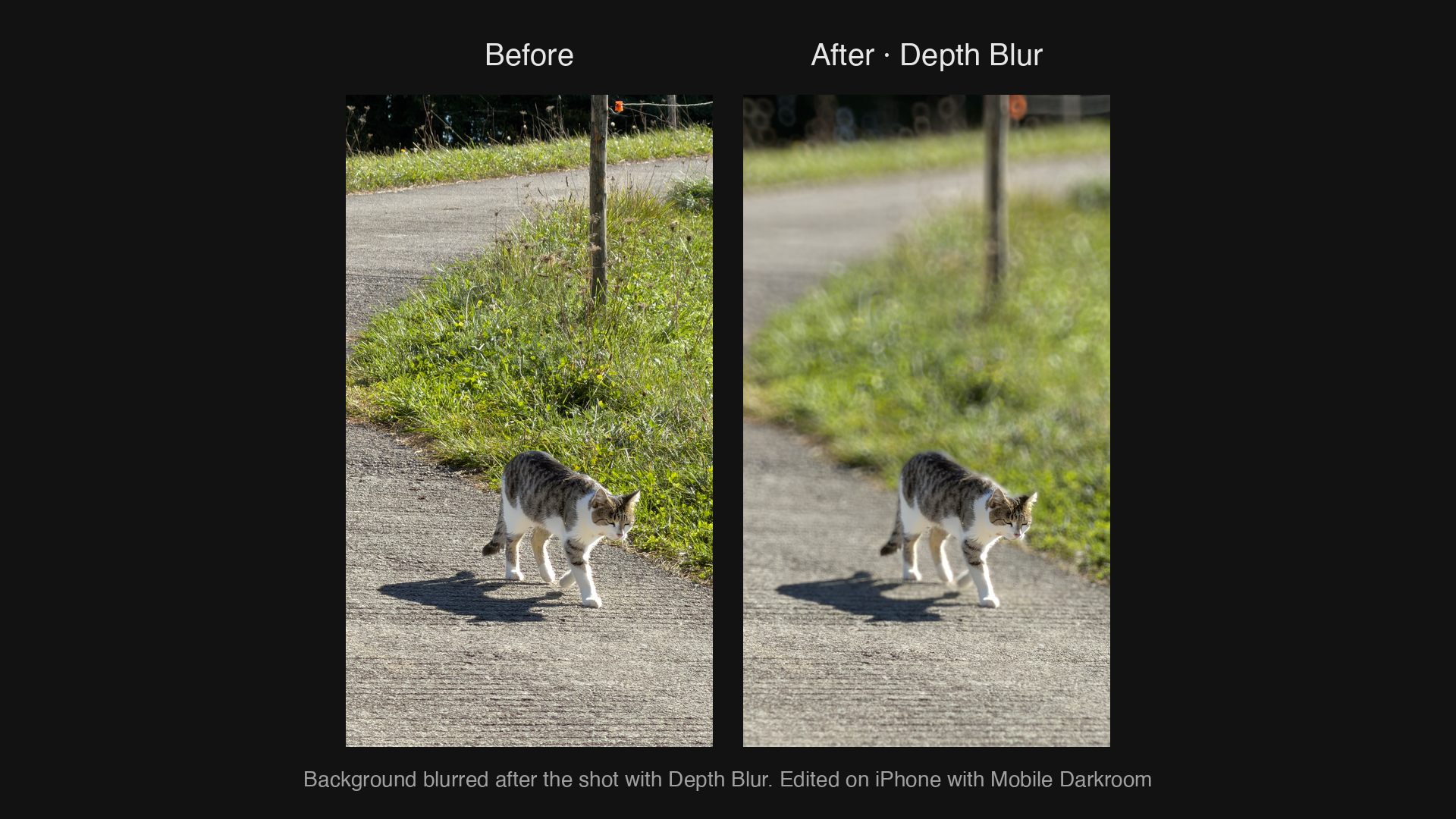
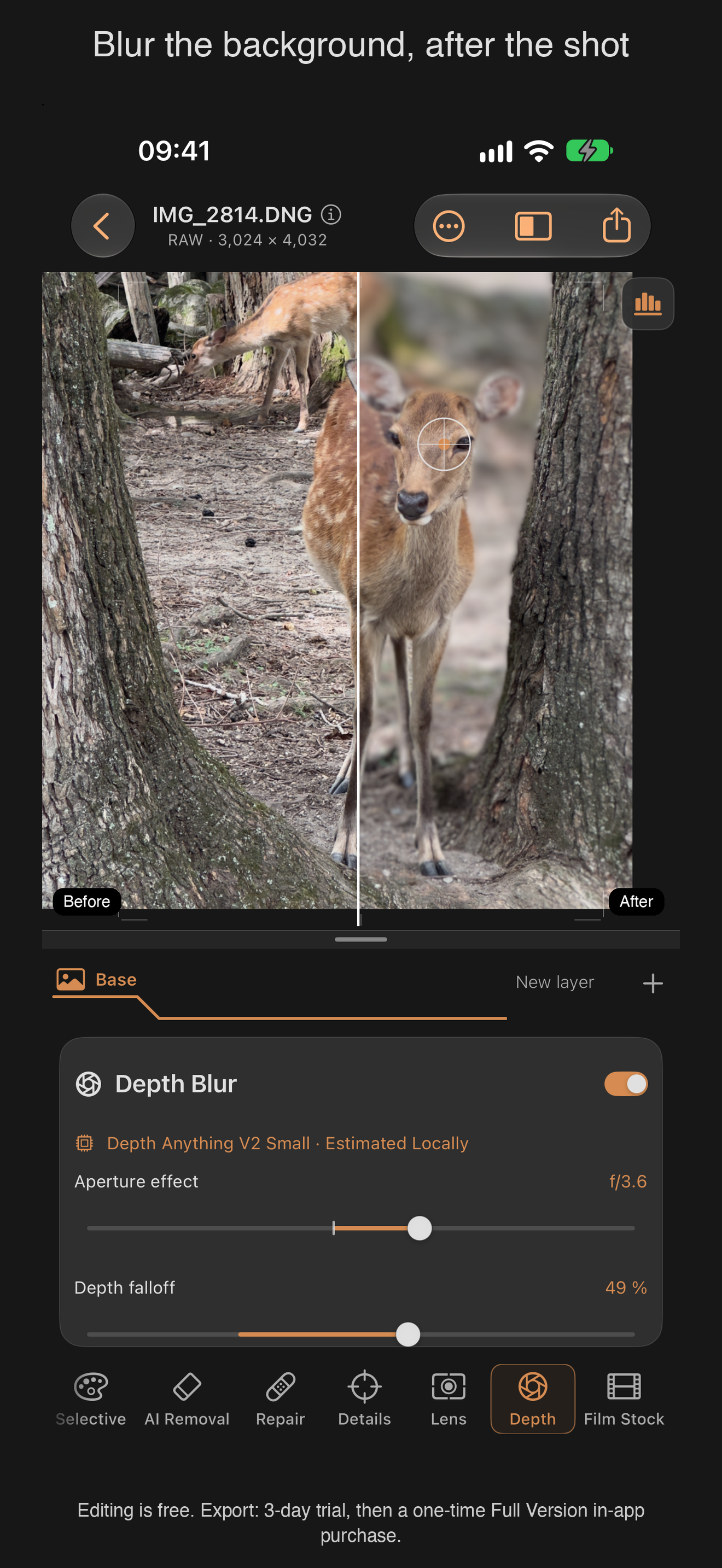
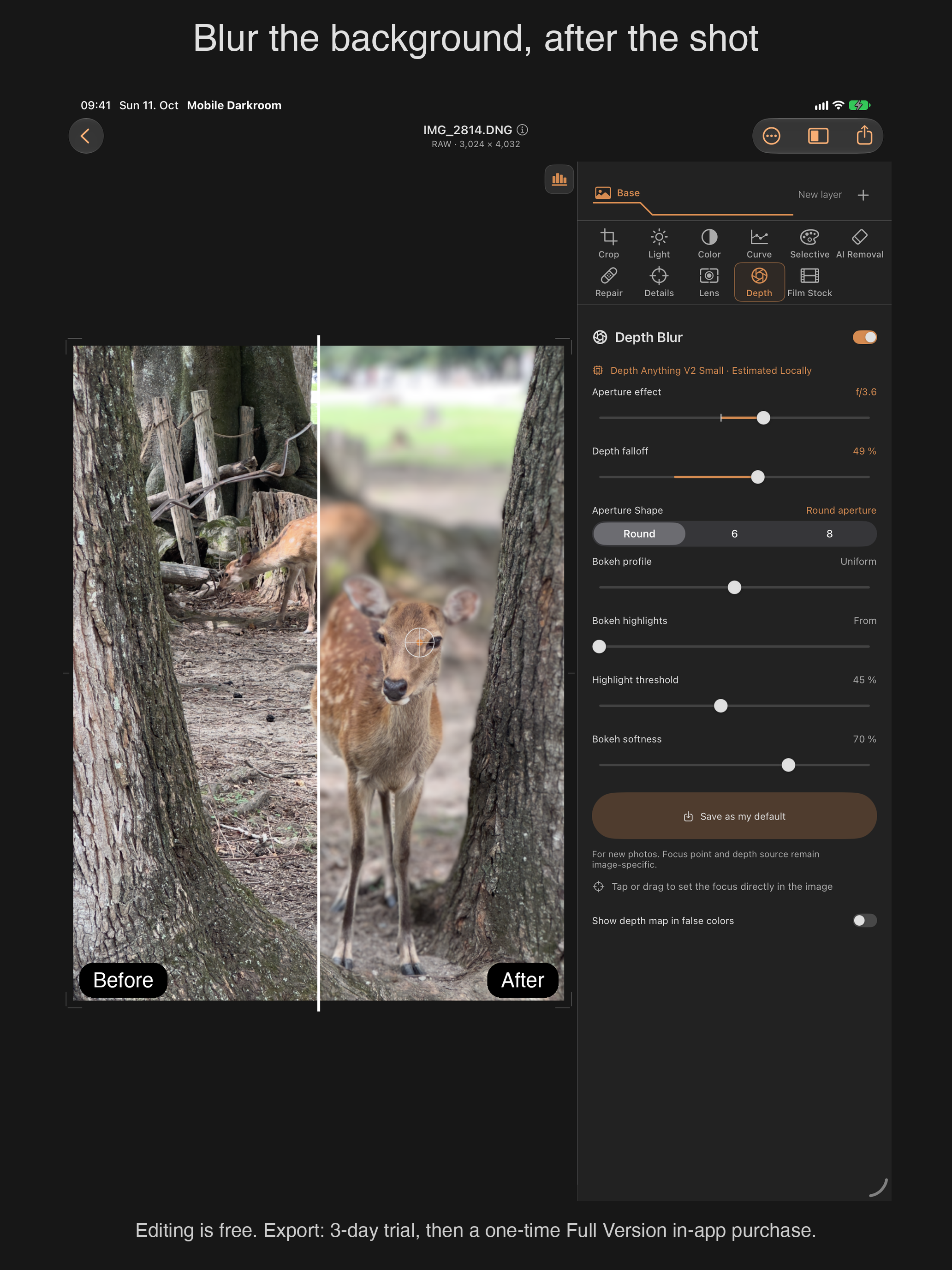
- Depth Blur from the real depth data of Portrait photos, with a selectable focus point. Photos without depth data get a depth map estimated on the device, and the app labels it as estimated.
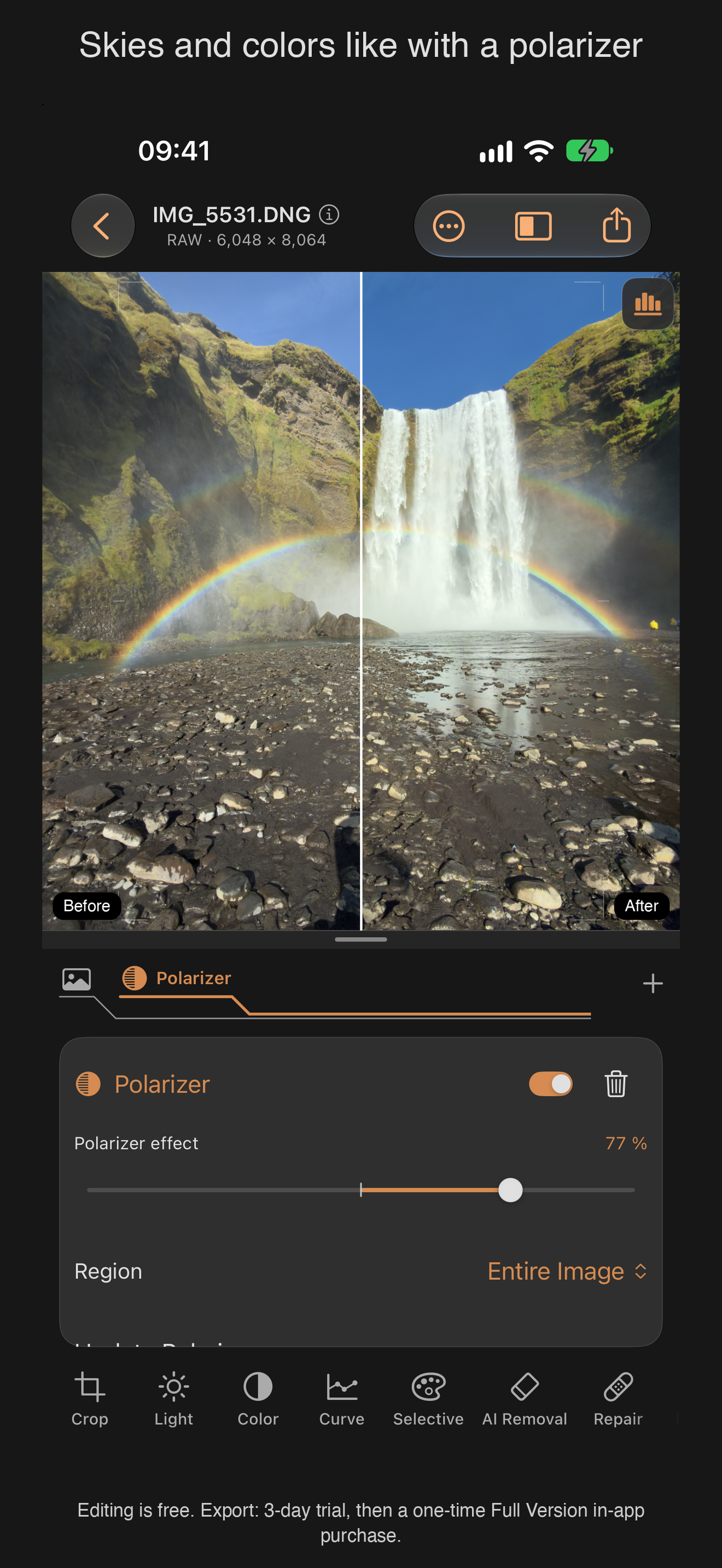
- Filter magazine (new in 1.5): warming and cooling filters from 81A to 85B and 82A to 80A, graduated filters, polarizer, star filters with 2 to 16 rays, spectral star, light fan, diffusion and halation. Rays and halation follow the brightness of the light sources in the photo.
- Before/after comparison, undo/redo, zoom into fine detail.
What it honestly does not do
Effects that cannot be recreated after capture, such as a true polarizer, are labeled as simulations. The app does not claim to recover information the camera never recorded.
Quote
“I wanted a photo lab that keeps my pictures on my iPhone and still gives me every tool. You pay once, not every month.”
Before and after
Edited on iPhone with Mobile Darkroom. Click an image to open the full-size PNG.
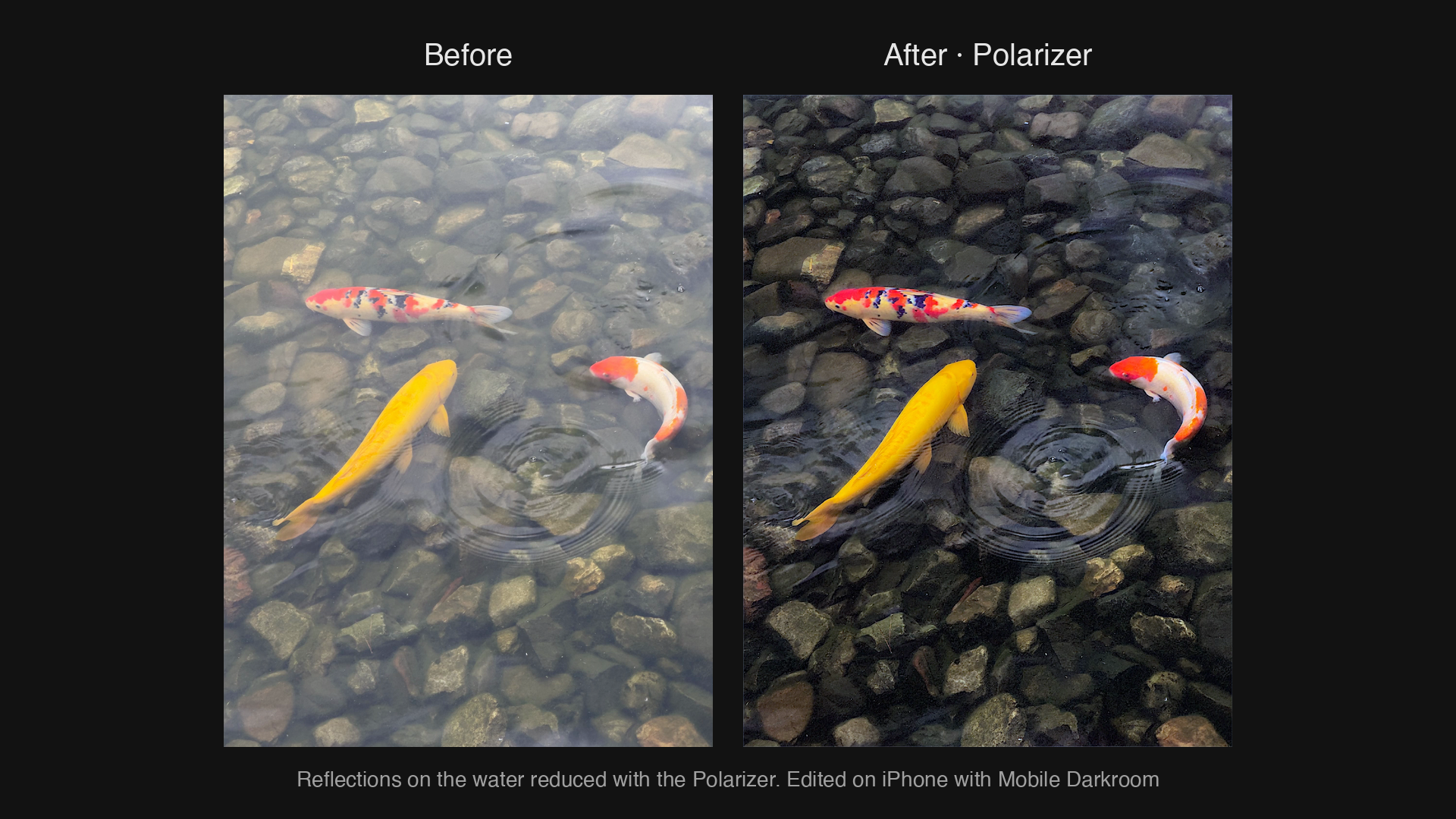
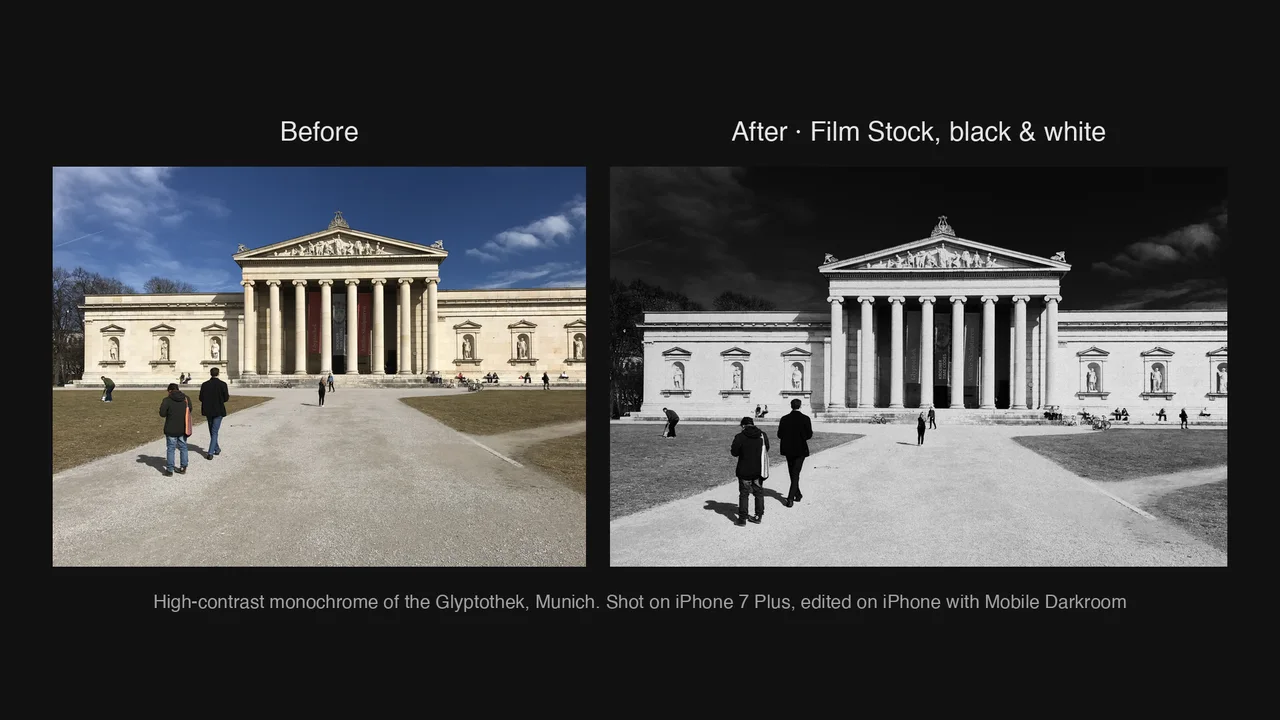
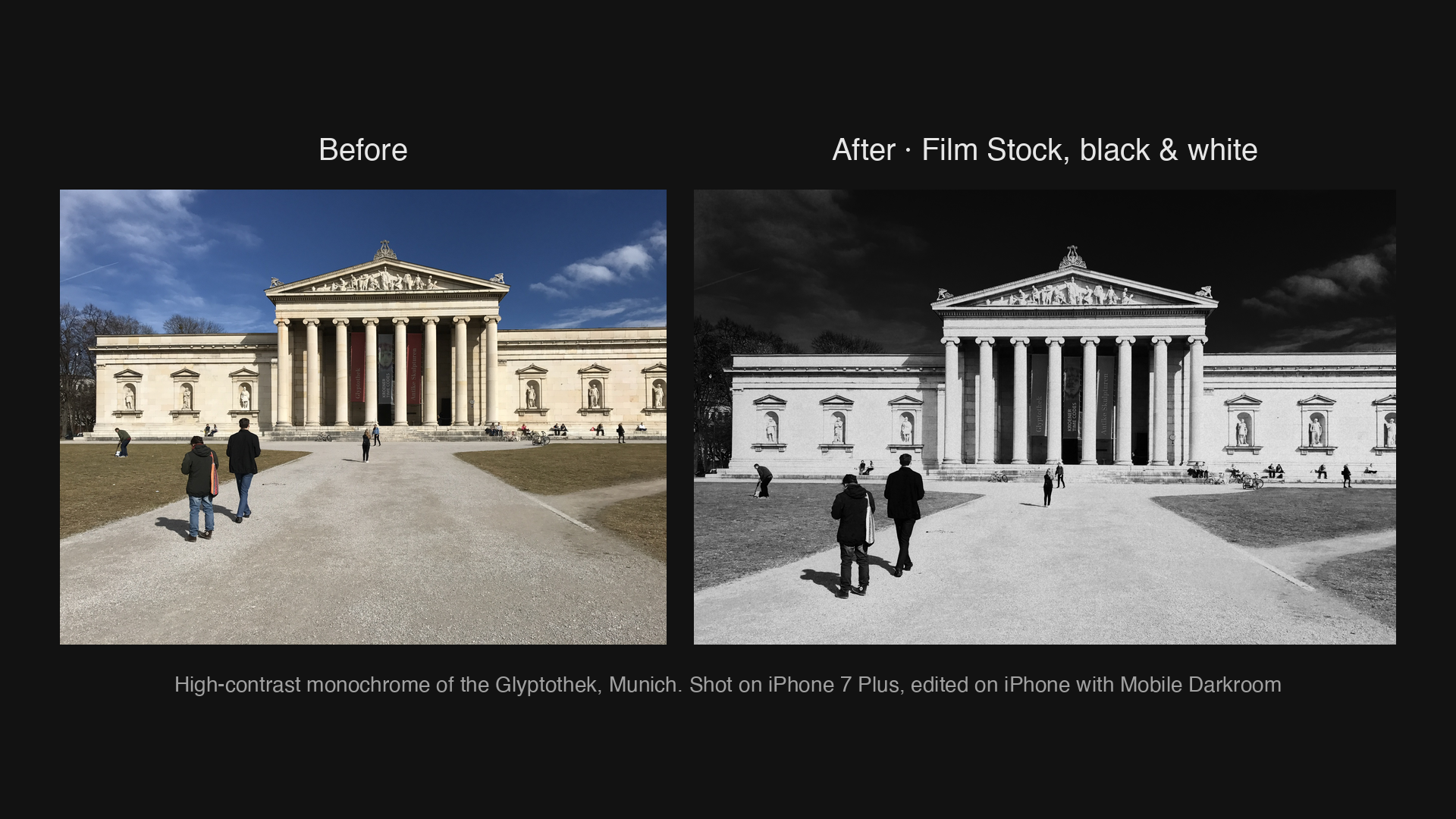
Film Stock, black & white: high-contrast Glyptothek, MunichDownload PNG · 1920 × 1080 · 1.4 MB 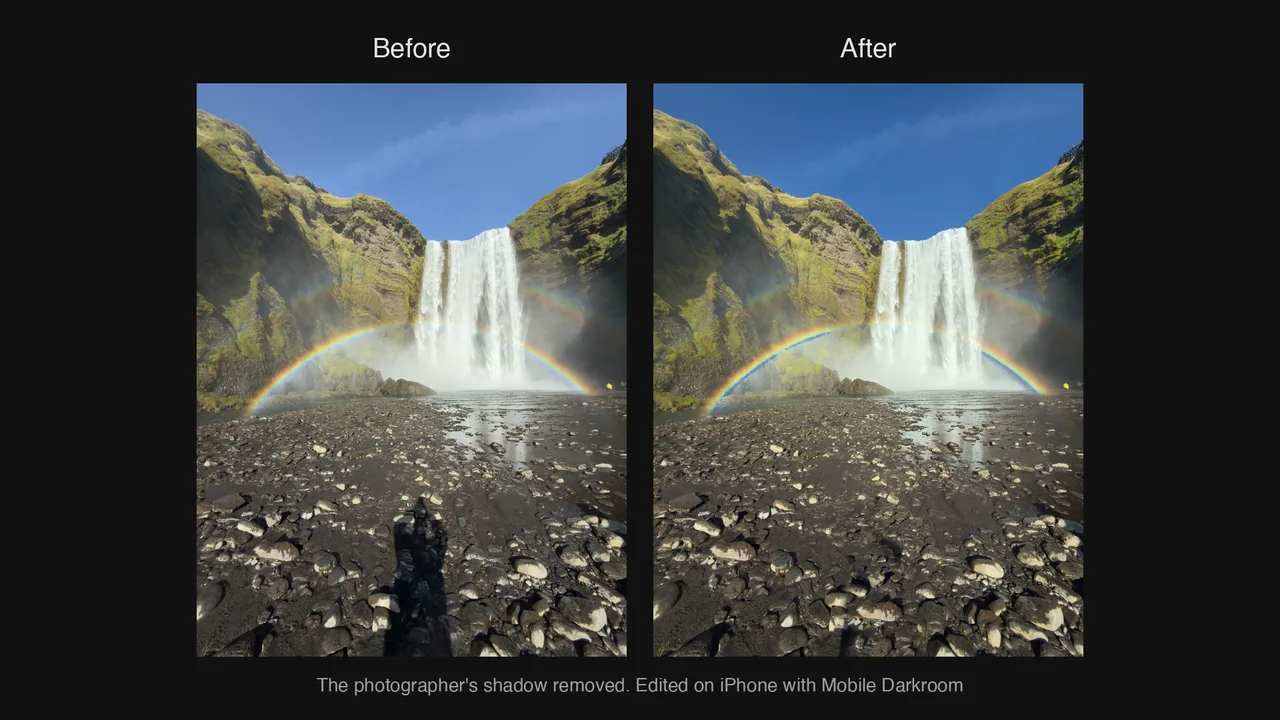
Repair: the photographer’s shadow removedDownload PNG · 1920 × 1080 · 1.8 MB 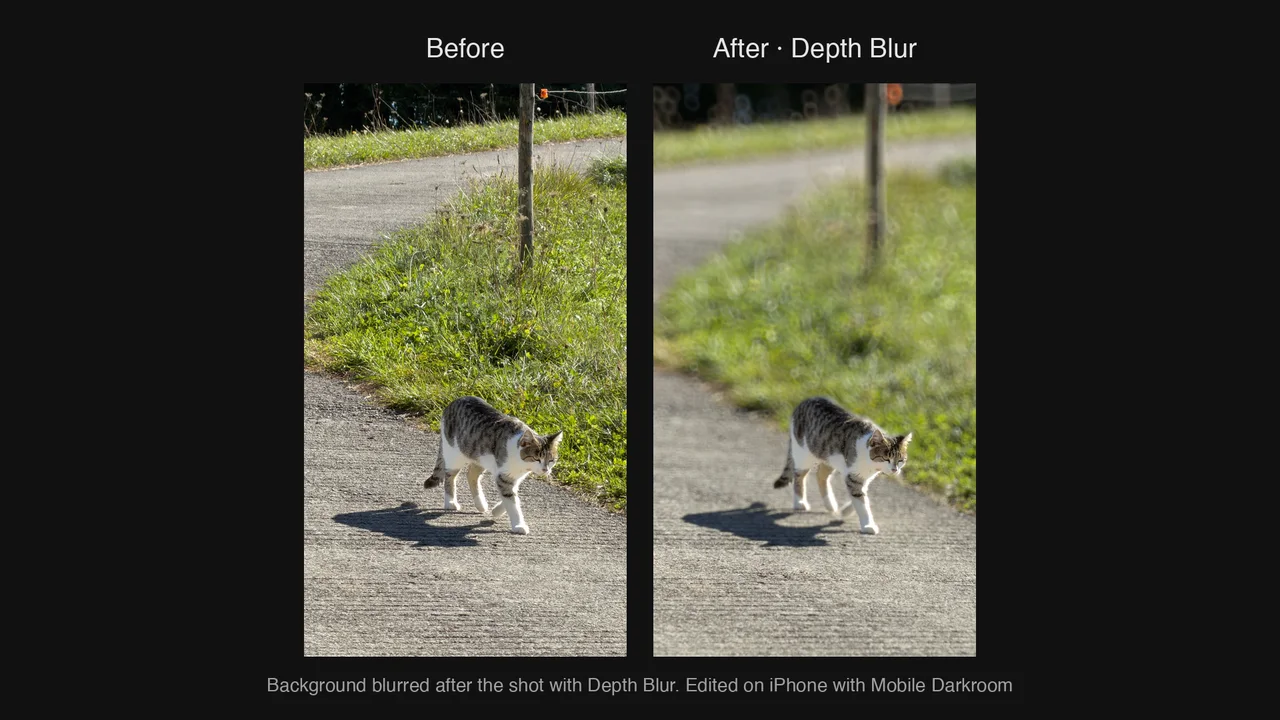
Depth Blur: background blurred after the shotDownload PNG · 1920 × 1080 · 1.7 MB
Vertical clips
Wipes between before and after, showing the result only, without the app interface.
Screenshots
Version 1.5.1, English interface.
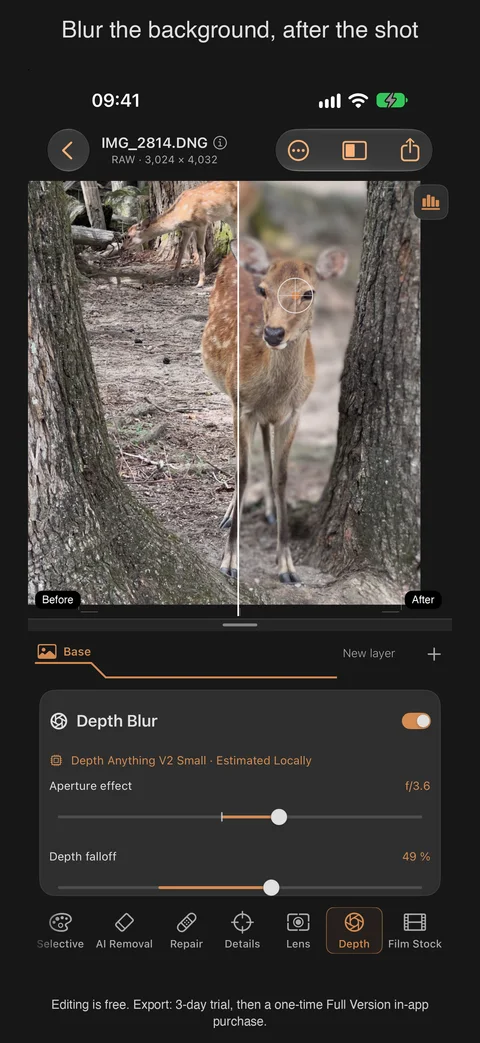
iPhone · Depth BlurPNG · 1320 × 2868 · 2.4 MB 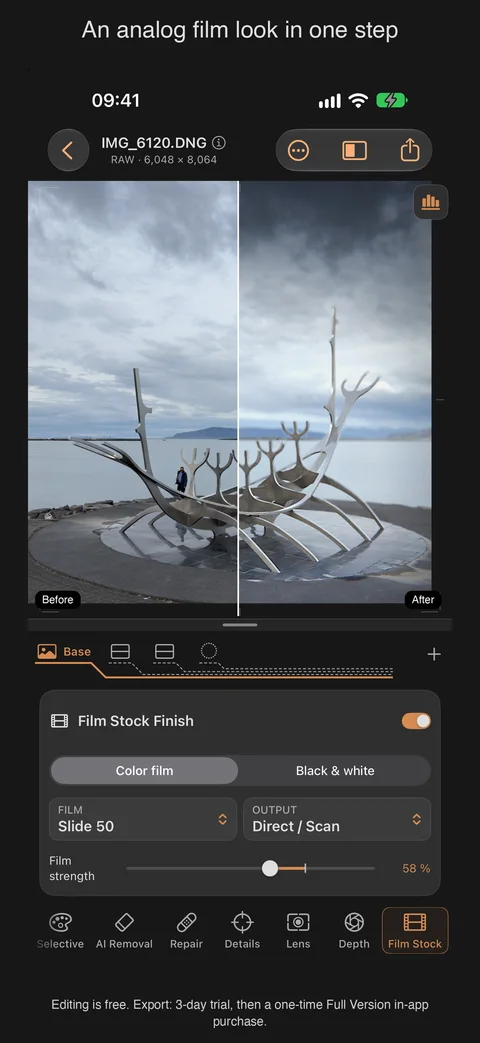
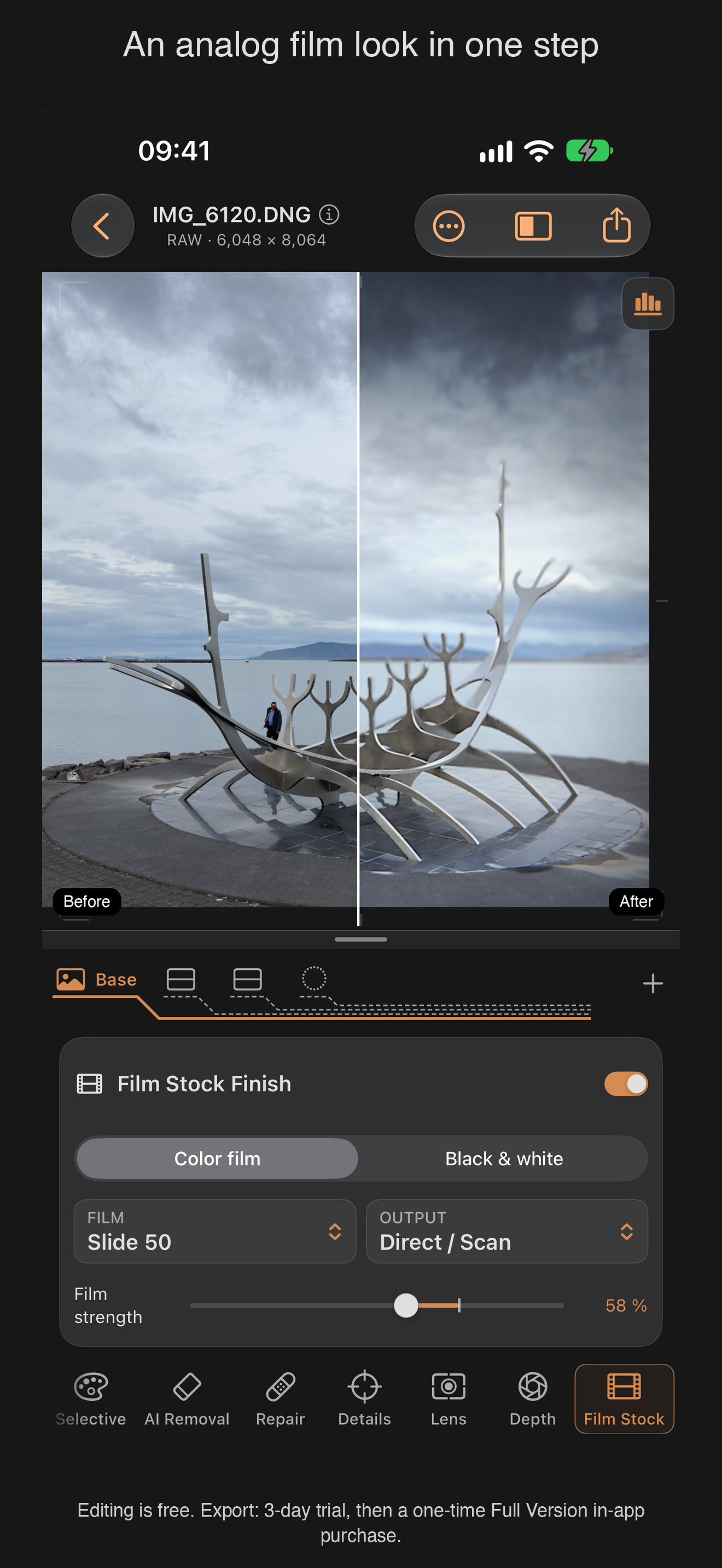
iPhone · Film StockPNG · 1320 × 2868 · 1.5 MB 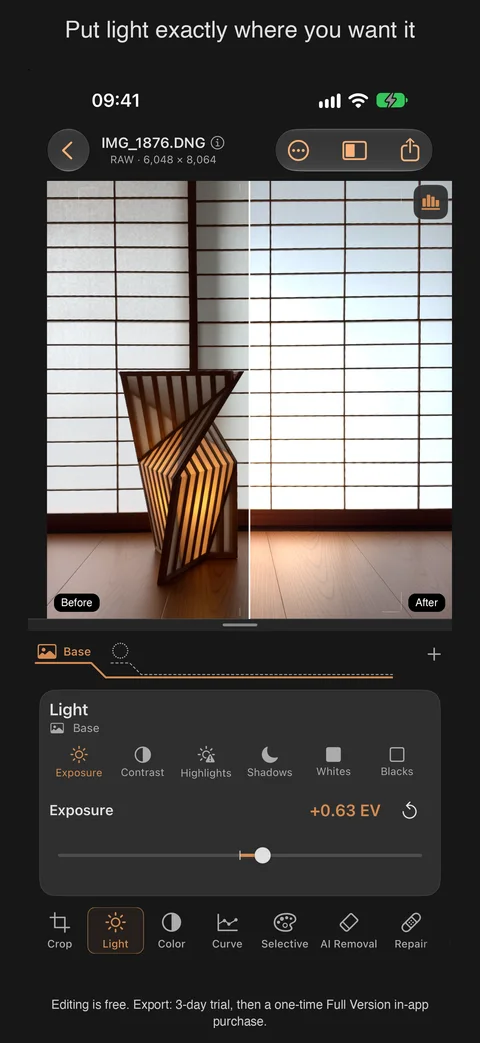
iPhone · Light and masksPNG · 1320 × 2868 · 1.5 MB 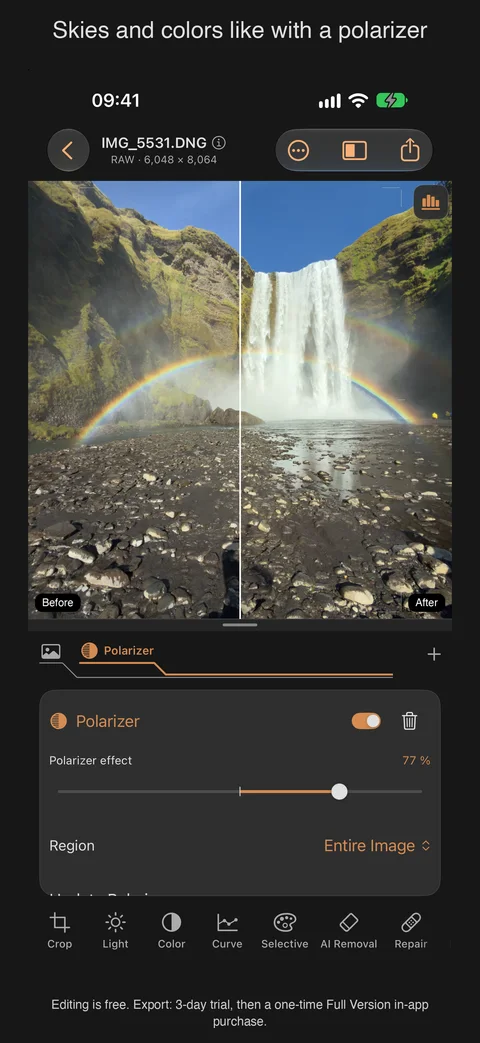
iPhone · PolarizerPNG · 1320 × 2868 · 2.3 MB 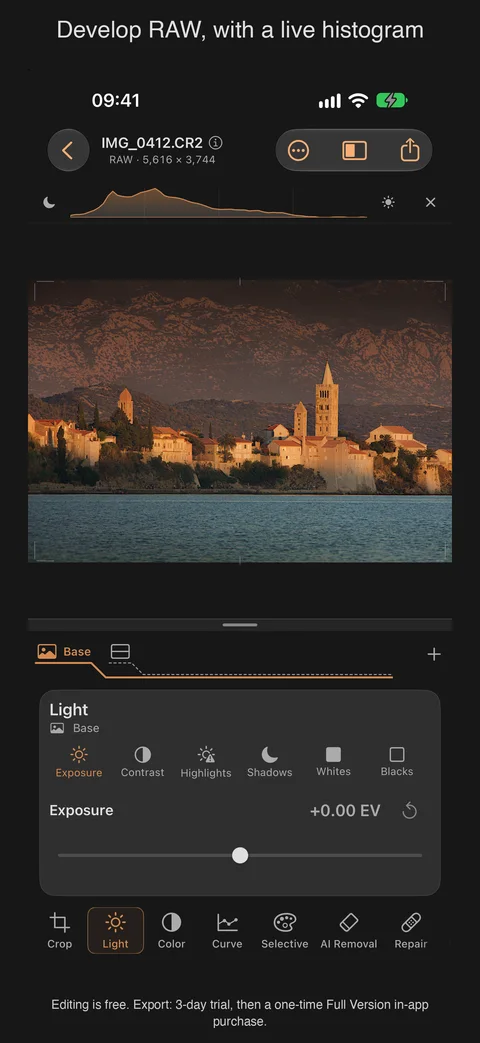
iPhone · RAW with histogramPNG · 1320 × 2868 · 1.8 MB 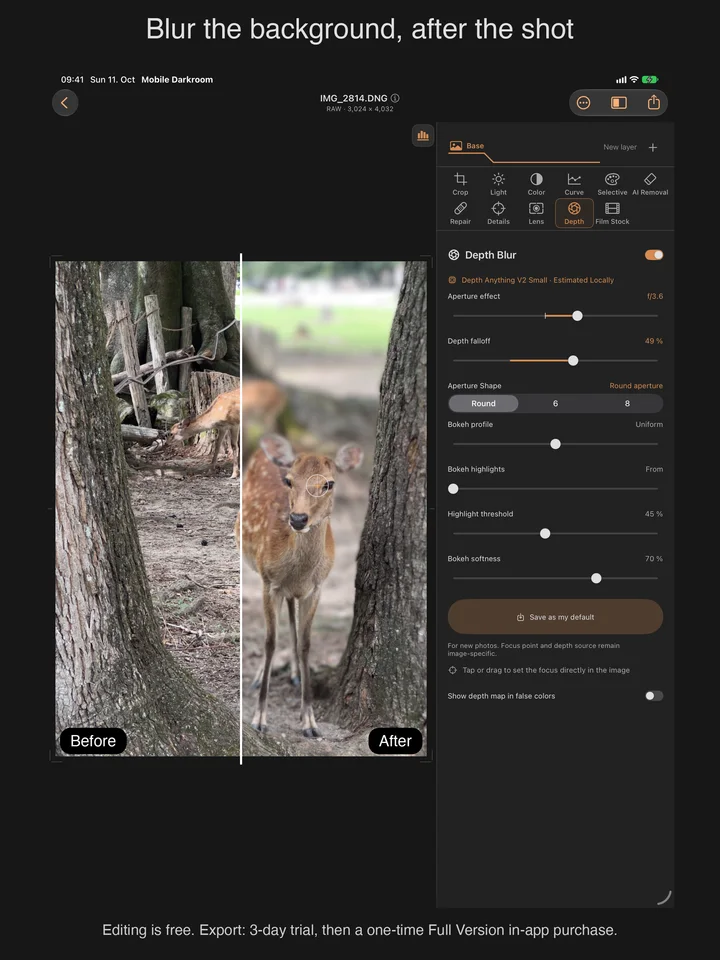
iPad · Depth BlurPNG · 2064 × 2752 · 2.9 MB
App icon

Contact
Bjoern KindlerKindler Dev · Unterhaching
info@kindler-dev.de
+49 89 62084444
Review codes for the full version on request.