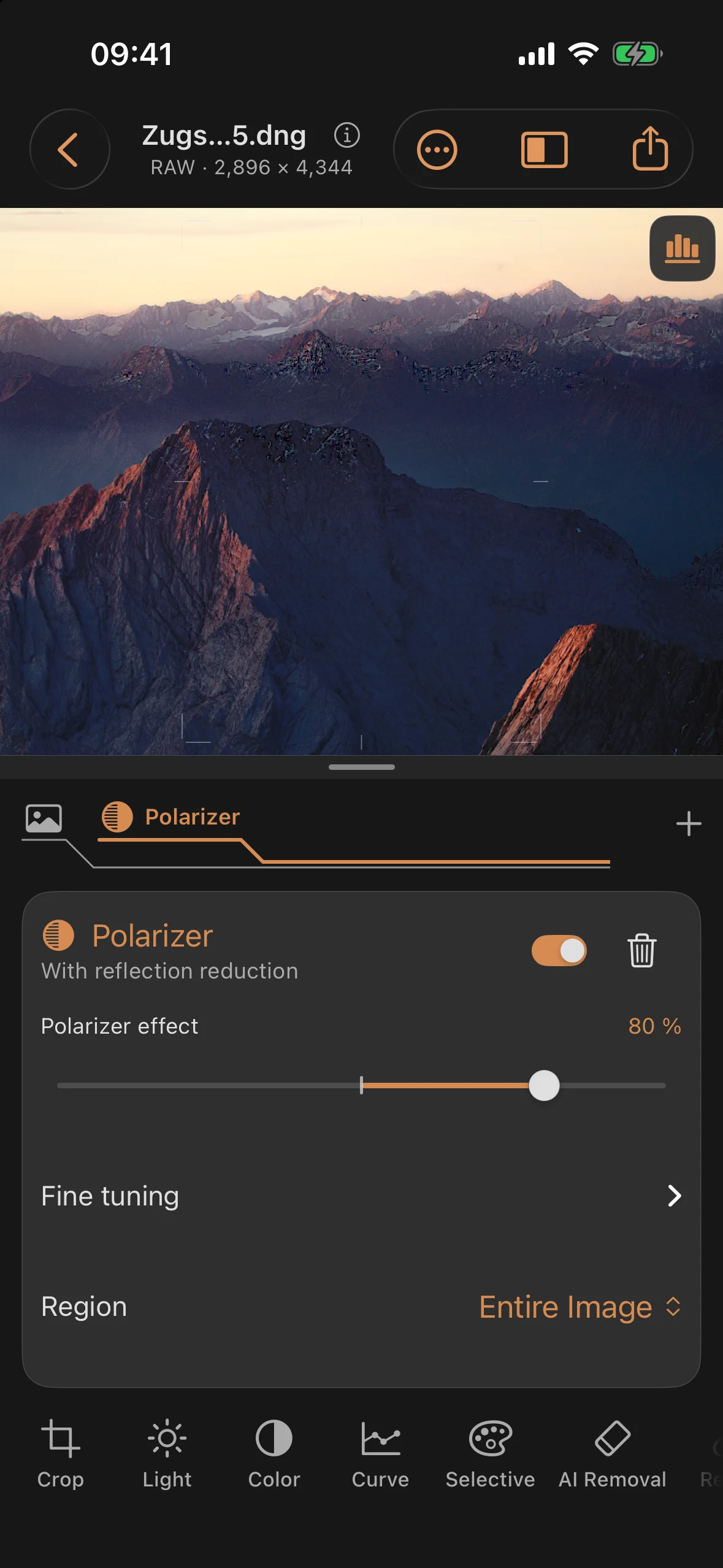
Reflections: Reduce Glass Reflections with the Polarizer
Reflection reduction is part of Filters → Polarizer. There is no separate Reflections toolbar item. This manual chapter remains at its existing address.
Analysis and strength
- Tap + in the layer ribbon, choose Filter, then Polarizer under Full.
- The app automatically prepares reflection analysis on your device.
- Adjust Polarizer effect. Its default is 50%; it controls color and reflection reduction together.
- Optionally open Fine tuning → Reflection contribution, which defaults to 100%. Reflection strength is the product of both controls: 80% × 50% = 40%.
- Limit both effects to an existing mask under Region, if needed.
The analysis is stored. Moving the strength slider, changing exposure or film, and exporting do not run the model again. The filter switch disables both components; the trash button removes the polarizer. Both support Undo. Try Again appears if analysis fails. Export does not silently omit an active reflection correction whose result is not ready yet.
Both controls at 100% match the former maximum standalone correction. Reflection contribution at 0% disables only reflection reduction.
Older projects
Previously created standalone corrections remain editable under Previous reflection correction in the filter panel, with their own strength and region. Their former default was 65%; existing values are not reset. Analyze again is still available there. Older linked polarizers keep their previous response until you adjust master strength or reflection contribution. The change can be undone.
Masks and further editing
Edit mask opens the linked mask. Its opacity, inversion and feathering also apply to reflection reduction. A disabled or deleted mask pauses the correction. Choose another area or restore the mask with Undo.
The correction is applied before repair, tone, color and film processing, so these edits also affect the corrected region. Straightening and perspective correction keep the image and its reflection correction aligned.
Quality and limitations
The bundled DSRNet model estimates the scene behind a reflection. Strong overlaps may leave residual reflections or altered structures. Compare the result and reduce strength when necessary. The tool targets photos through glass; equivalent results are not promised for glare on foliage, car paint or water.
Analysis uses a reduced image. Its correction is transferred to the original, without reducing output resolution. Fine reflection details may remain or be altered. RAW exposure and HDR headroom remain part of the subsequent processing. Fully clipped or unrecorded details cannot be recovered faithfully. This is not a physically exact replacement for an optical polarizer.